Identity Card
 National Identity Document
 Citizenship ID
 Unique Identity Document
 Personal Identification Document
 Unique Population Registry Code
 Personal Identity Card
 Civil Identity Card
 Identity and Electoral Card
 Check Plate Colombia
 Check Plate Peru
 Check Plate Mexico
 Check Plate Argentina
 Check Plate Chile
 Check Plate USA
 Check Plate Brazil


For every checking account opened online, 3.36 applications are abandoned, according to research on digital account opening. Most of those applicants do not change their mind. They leave during identity verification.
A modern banking eKYC platform compresses days of branch paperwork into a flow that takes minutes. But every step in that flow is a place where a good applicant can get stuck or a fraudster can slip through.
This guide walks through each step of banking eKYC, explains what the technology checks, and shows where applications fail. For the full picture of requirements and benefits, see our guide to eKYC for banks.
If you are comparing vendors, an eKYC software for banks should handle all seven steps below in one connected workflow.
The Seven Steps of Banking eKYC
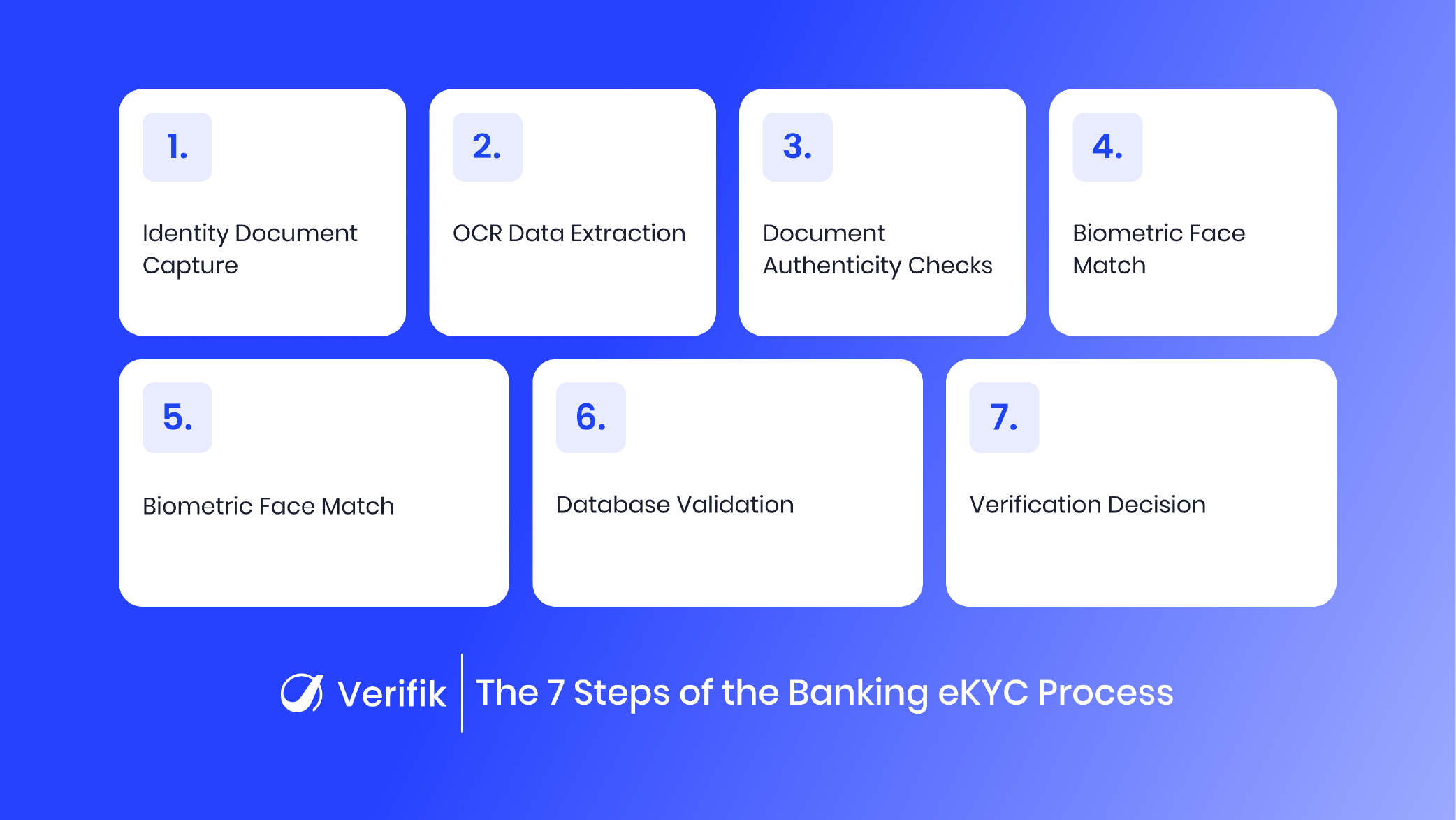
Each step below adds a layer of proof, and an eKYC software for banks should connect all seven in one workflow so nothing is lost between handoffs.
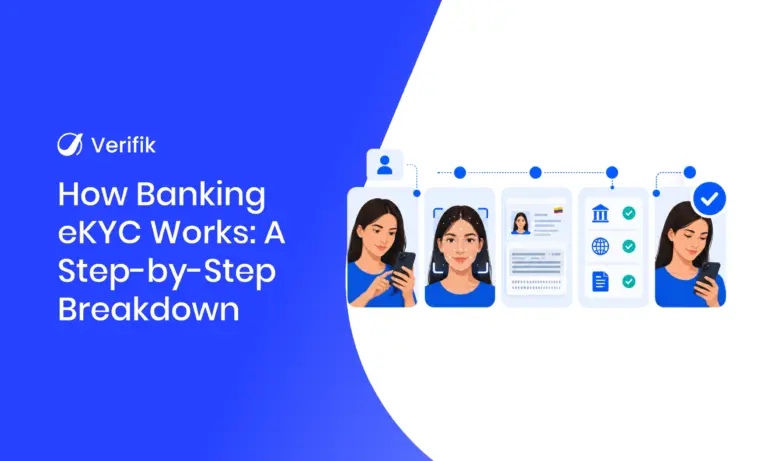
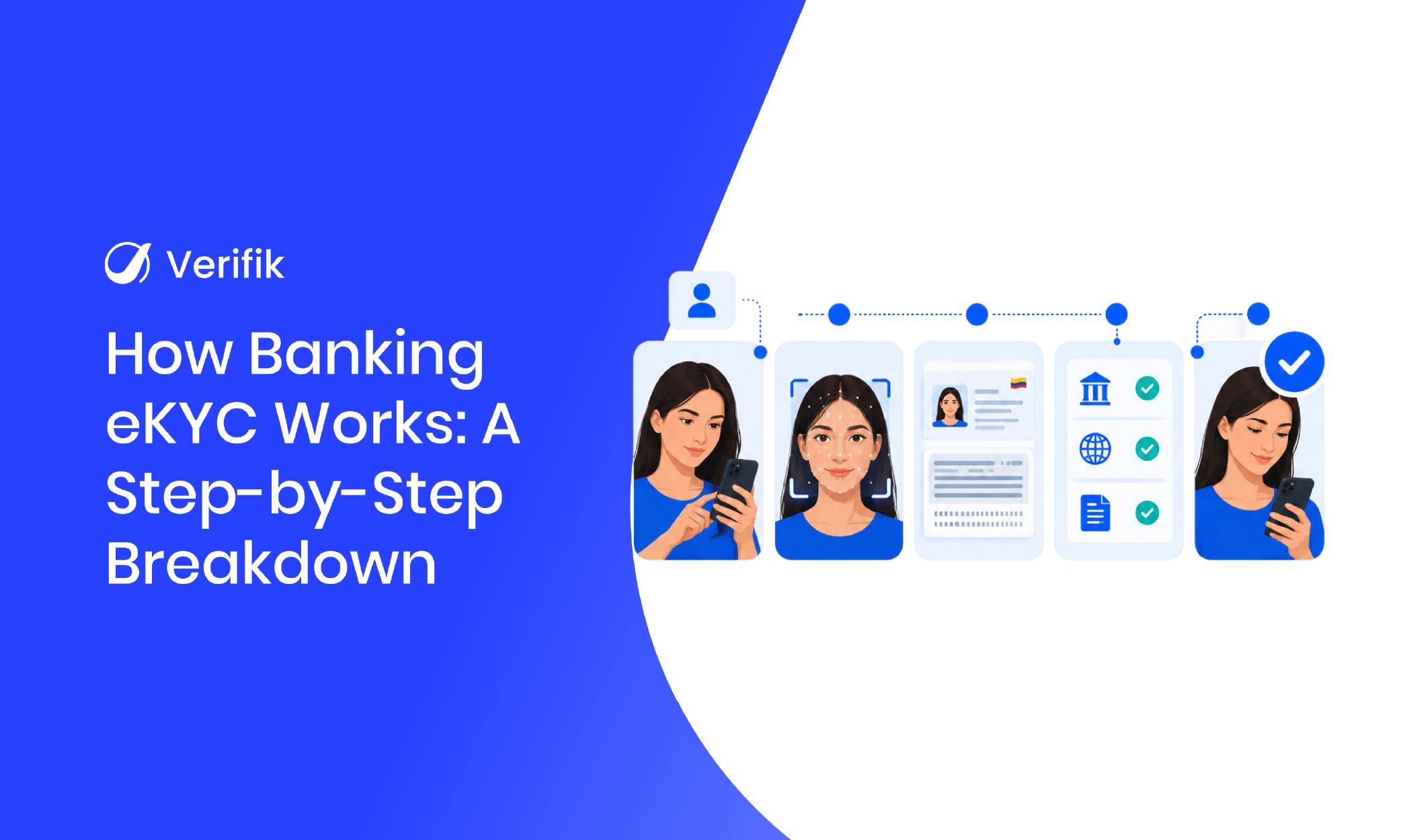
A banking eKYC flow runs seven checks in sequence. Here is what each step does.
1. Identity Document Capture
The applicant photographs a government-issued ID with a phone camera. Good systems guide the shot in real time, warning about blur, glare, and cropped edges before the photo is accepted.
Capture conditions are messy: poor light, cracked screens, older cameras. A clear first image makes every later check more accurate.
2. OCR Data Extraction
Optical character recognition reads the document and pulls names, ID numbers, and dates into structured fields. No manual typing means no typos.
The extracted data becomes the reference for every check that follows. Weak OCR creates false mismatches at the database step and sends good applicants into manual review for no reason.
3. Document Authenticity Analysis
AI models examine the ID for forgery signs: replaced photos, wrong fonts, damaged security features, inconsistent layouts. Catching a fake ID here costs far less than catching fraud later.
4. Biometric Face Matching
The applicant takes a live selfie, which is compared with the photo on the ID. A genuine ID in the wrong hands passes a document check, so face matching closes that gap.
Thresholds are a trade-off: too strict rejects good applicants, too loose lets lookalikes through. Banks tune this by market.
5. Liveness Detection
The system confirms a real, live person is in front of the camera. This defeats printed photos, replayed videos, and masks.
Passive liveness needs no head movements, so nothing slows the applicant down. A selfie without liveness is just a photo, and photos can be stolen.
6. Database and Watchlist Checks
The extracted identity data is checked against government registries, credit bureaus, sanctions lists, and PEP databases. In Latin America this means coverage of local sources like Colombia’s RUES business registry and SIMIT traffic fines database, plus the ID systems behind the cédula, Mexico’s INE, and Peru’s DNI.
Global watchlists matter, but local registry depth separates real verification from a surface check. Lists change daily, so screening must use fresh data.
7. The Verification Decision
All signals combine into one decision with a full evidence record. Clear cases pass automatically; uncertain ones go to reviewers with everything collected.
Decision, evidence, and timestamp are stored together for examiners. How deep each check goes depends on which of the bank KYC tiers the customer falls into.
The old manual process versus automated eKYC, step by step:
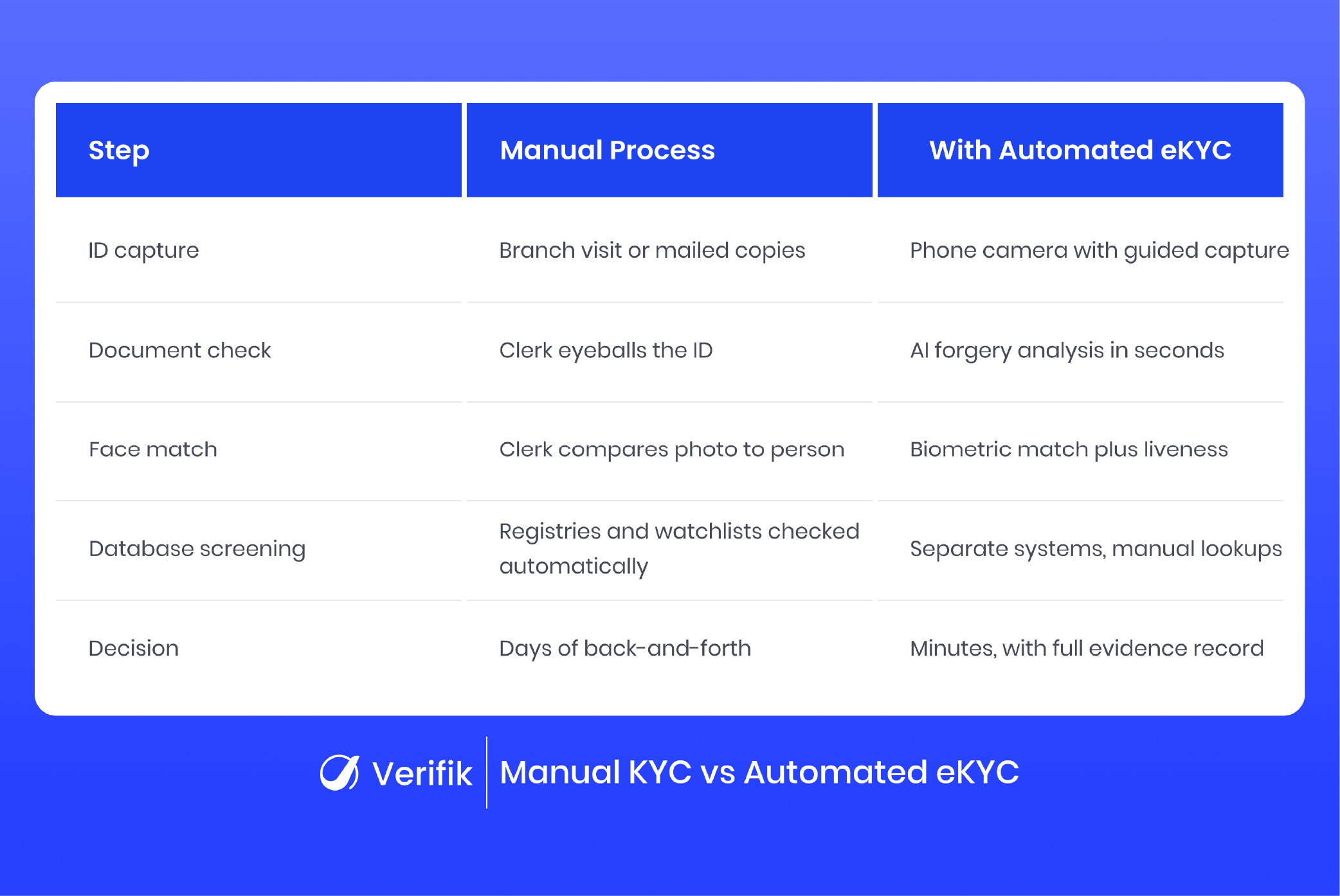
For this step, Verifik's option is smartENROLL: move your KYC to a digital flow with evidence for every check.
What Happens When a Check Fails
Not every application passes first try. What separates good eKYC from bad is what happens next.
Automatic Retries Come First
Most failures are capture problems, not fraud. A blurry photo should trigger an instant retry with guidance, not a rejection.
Unclear Cases Go to Human Reviewers
When automated checks cannot decide, the case lands in a review queue with an evidence bundle: images, pass/fail results, and risk signals. The reviewer sees the full story on one screen.
This is also where a KYC solution for banks earns its keep. The quality of the reviewer handoff determines whether manual review takes minutes or days.
Where Banks Lose Good Applicants
Every extra check improves security and loses more applicants. That is the central trade-off of eKYC design.
Ask for too much and applicants leave for a competitor. Ask for too little and fraud gets through.
Each step must earn its place. The best flows order steps by risk, run cheap checks first, and reserve heavy checks for the cases that need them. The eKYC features for digital banking that make this balance possible are covered in a separate guide.
What Regulators Expect Behind the Scenes
Regulators do not prescribe specific technology. The FATF Guidance on Digital Identity states that its standards are technology-neutral and permit remote identity proofing, which is why eKYC is accepted as equal to in-person verification in most markets. You can read the guidance on the FATF website.
Examiners require proof: timestamped records of every check and the evidence behind each decision, kept for years. The full list of obligations behind these records is covered in our guide to KYC and AML requirements for banks.
Why Banks Choose smartENROLL for eKYC
smartENROLL is Verifik’s eKYC solution built for banking in Latin America, where many ID formats, strict regulators, and uneven registry access make generic global tools struggle.
Document Verification Tuned for the Region
Reads and checks Latin American national IDs, passports, and driver’s licenses with high accuracy, including Colombia’s cédula and formats global vendors often misread.
Biometrics With Passive Liveness
Matches the applicant’s face to the ID photo and confirms a live person is present, blocking photo, video, and mask attacks without awkward head-movement exercises.
Deep Database Validation
Checks applicants against local registries such as RUES and SIMIT plus international sources. Local coverage is what separates a real check from a checkbox exercise.
Watchlist Screening Built In
Sanctions, PEP, and adverse media screening run automatically at onboarding and keep running over time, without manual list management.
Workflows Your Team Can Change
Compliance teams adjust risk tiers, thresholds, and escalation paths without waiting on engineers.
Want to see the seven steps on your own application flow? Book a free demo.

Conclusion
Banking eKYC is seven connected steps: capture, extraction, document analysis, face matching, liveness, database checks, and a decision with an evidence trail. Each step catches different attacks but can also lose good applicants if designed poorly.
The fastest way to evaluate a platform is to run your own applicants through it. smartENROLL is built for exactly that test, with Latin American document and registry coverage that global tools cannot match.
Frequently Asked Questions (FAQs)
How long does the banking eKYC process take?
For a clean capture, the sequence usually completes in seconds. Most delay comes from poor images or manual review.
Is a selfie check enough to verify a bank customer?
No. A selfie match proves the face resembles the document photo, but not that a live person is present. Liveness detection must sit alongside facial recognition so a photo or replayed video cannot satisfy the step.
Why does database validation matter if the document is genuine?
A genuine-looking document can describe an identity that does not exist. Database validation checks the extracted data against authoritative records, which is the only step that reliably catches a fully synthetic identity.
What happens if an applicant fails the automated checks?
Simple capture problems trigger an instant retry with guidance. Unclear cases go to human reviewers with the full evidence bundle.
What makes smartENROLL the best eKYC solution for banking?
smartENROLL combines document verification, OCR, facial recognition, liveness, OTP, phone and email intelligence, and database validation in one configurable workflow, with deep local database coverage across Latin America and a verification record created as the checks run.