Identity Card
 National Identity Document
 Citizenship ID
 Unique Identity Document
 Personal Identification Document
 Unique Population Registry Code
 Personal Identity Card
 Civil Identity Card
 Identity and Electoral Card
 Check Plate Colombia
 Check Plate Peru
 Check Plate Mexico
 Check Plate Argentina
 Check Plate Chile
 Check Plate USA
 Check Plate Brazil


Two out of three people who start a digital account application walk away: the average abandonment rate hit 67% in the 2025 Digital Banking Performance Metrics report. A modern banking eKYC platform decides whether that flow converts or leaks.
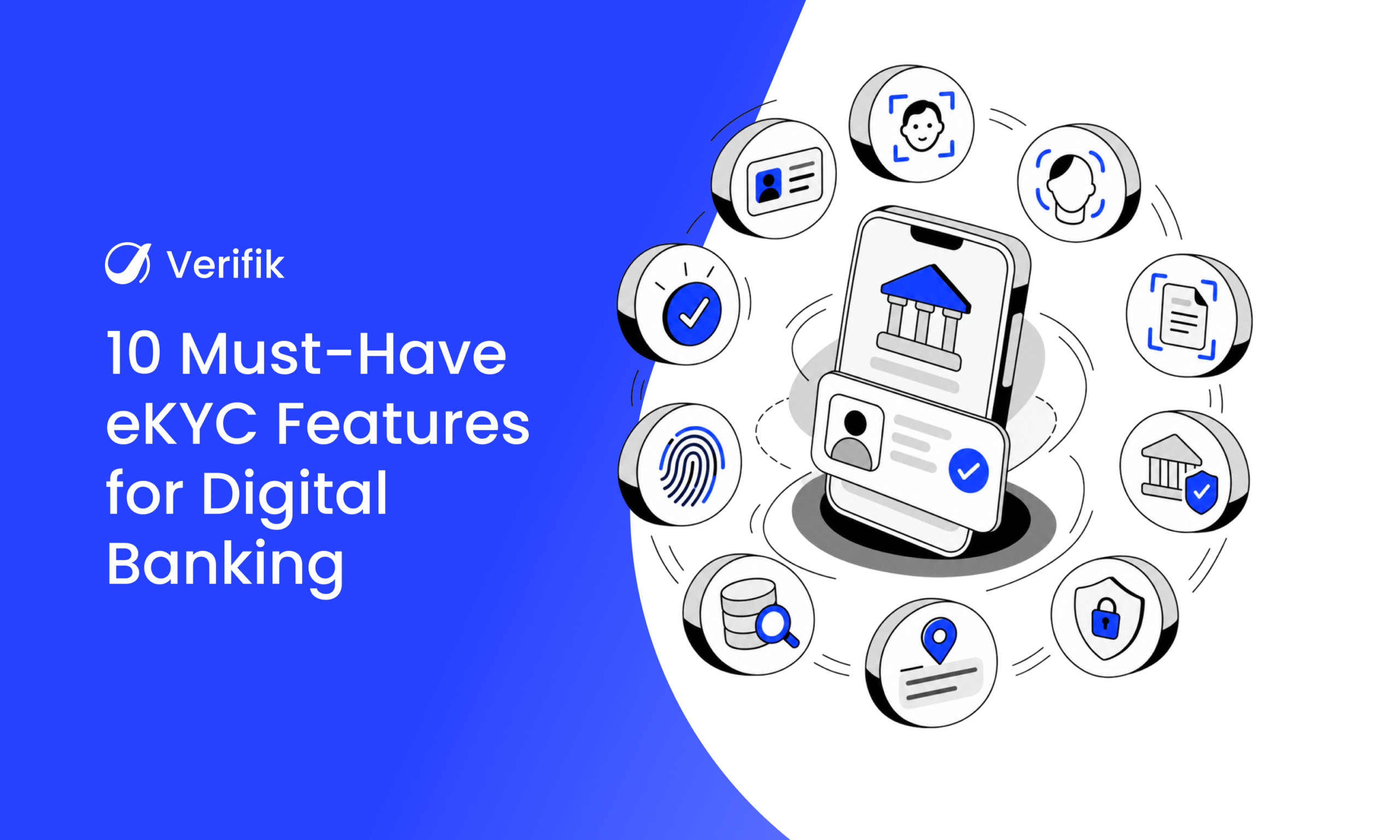
The ten features below decide that outcome. Each one fixes a specific leak in the application flow.
This list covers the ten features no digital bank should launch without. For the full picture of requirements and benefits, see our guide to eKYC for banks. When you compare vendors, a good eKYC software for banks covers all ten in one connected workflow, not as separate products that your team must stitch together. To see how these features run in sequence, read our step-by-step guide to how banking eKYC works.
The 10 Must-Have eKYC Features for Digital Banking
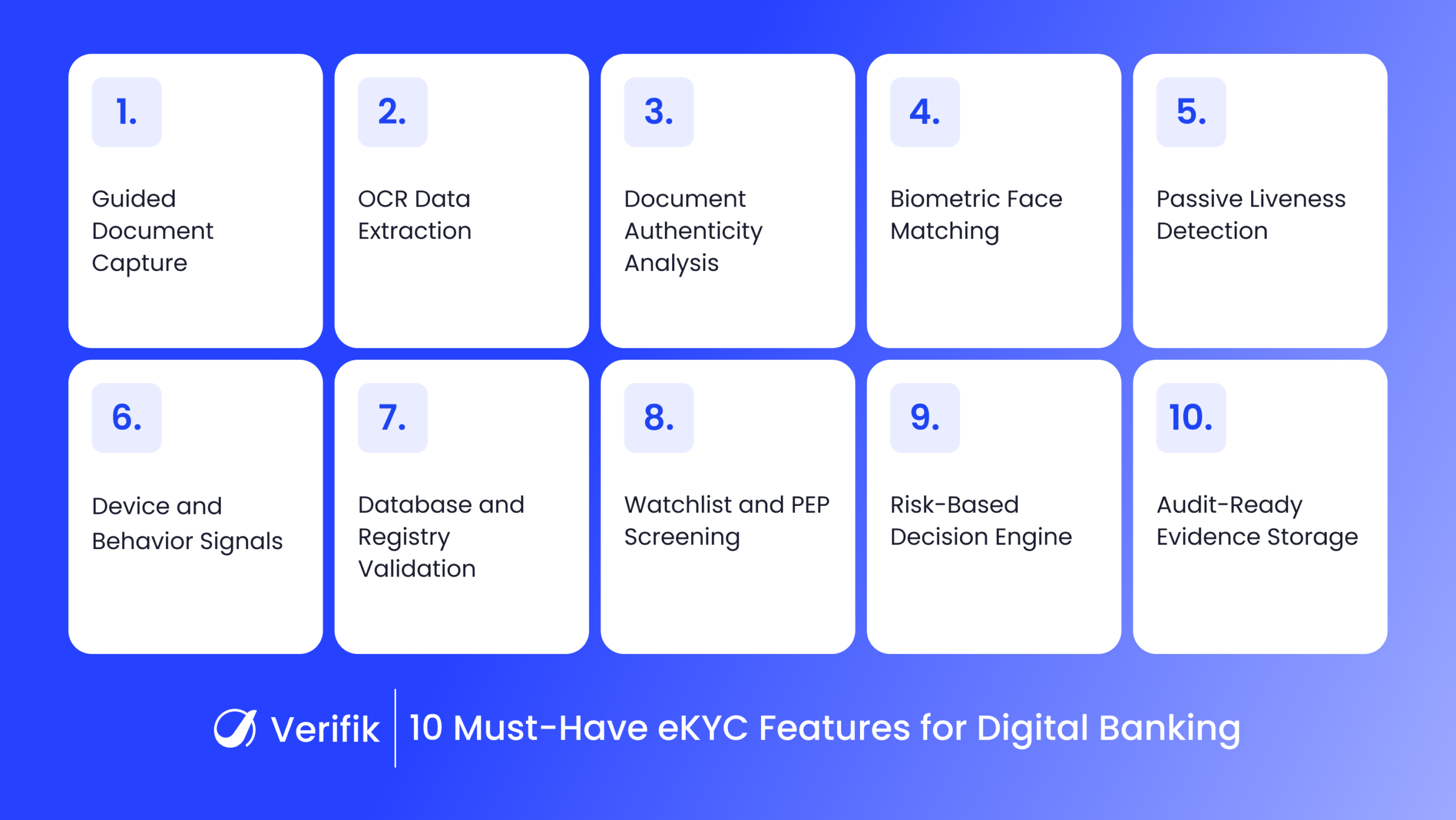
1. Guided Document Capture
The camera guides the applicant in real time: warnings for blur, glare, and cropped edges before the photo is accepted.
Most applicants who quit do so at the ID upload. Good capture coaching is the cheapest way to raise pass rates.
2. OCR Data Extraction
Optical character recognition reads names, ID numbers, and dates from the document into structured fields. No manual typing means no typos, and the extracted data becomes the reference for every check that follows. Weak OCR creates false mismatches at the database step and sends good applicants to manual review for no reason.
3. Document Authenticity Analysis
AI models examine the ID for forgery signs: replaced photos, wrong fonts, damaged security features, inconsistent layouts.
Catching a fake ID here costs far less than catching fraud after the account is open.
4. Biometric Face Matching
A live selfie is compared with the photo on the ID. A genuine ID in the wrong hands still passes a document check, so face matching closes that gap.
Thresholds are a trade-off: too strict rejects honest applicants in bad light, too loose lets lookalikes through. Banks should tune thresholds by market and risk appetite.
5. Passive Liveness Detection
The system confirms a real, live person is in front of the camera, defeating printed photos, replayed videos, and masks. Passive liveness asks for no head movements or video poses, so nothing slows the applicant down. A selfie without liveness is just a photo, and photos can be stolen.
6. Device and Behavior Signals
The platform reads device fingerprints, IP risk, and application behavior to spot fraud rings. One device applying for ten accounts with ten IDs is a pattern no document check can catch. It also flags emulators and rooted phones early.
7. Database and Registry Validation
Extracted data is checked against government registries and credit bureaus. In Latin America this means local sources like Colombia’s RUES and SIMIT, plus the systems behind the cédula, Mexico’s INE, and Peru’s DNI.
8. Watchlist and PEP Screening
Sanctions, PEP, and adverse media screening run automatically at onboarding and keep running afterward. The FATF Guidance on Digital Identity, which you can read on the FATF website, is technology-neutral and permits remote identity proofing, so examiners accept these automated checks when the evidence trail is complete.
9. Risk-Based Decision Engine
All signals combine into one decision with a full evidence record. Clear cases are decided automatically; uncertain ones route to human reviewers with everything already collected. This is where a KYC solution for banks earns its keep.
The quality of the reviewer handoff determines whether manual review takes minutes or days. The rules the engine applies come from the bank KYC tiers the compliance team defines.
10. Audit-Ready Evidence Storage
The decision, the evidence, and the timestamp are stored together for years, because examiners will ask for them. Our guide to KYC and AML requirements for banks lists what they expect to see. An eKYC vendor without immutable audit storage is selling you a demo, not a compliance tool.
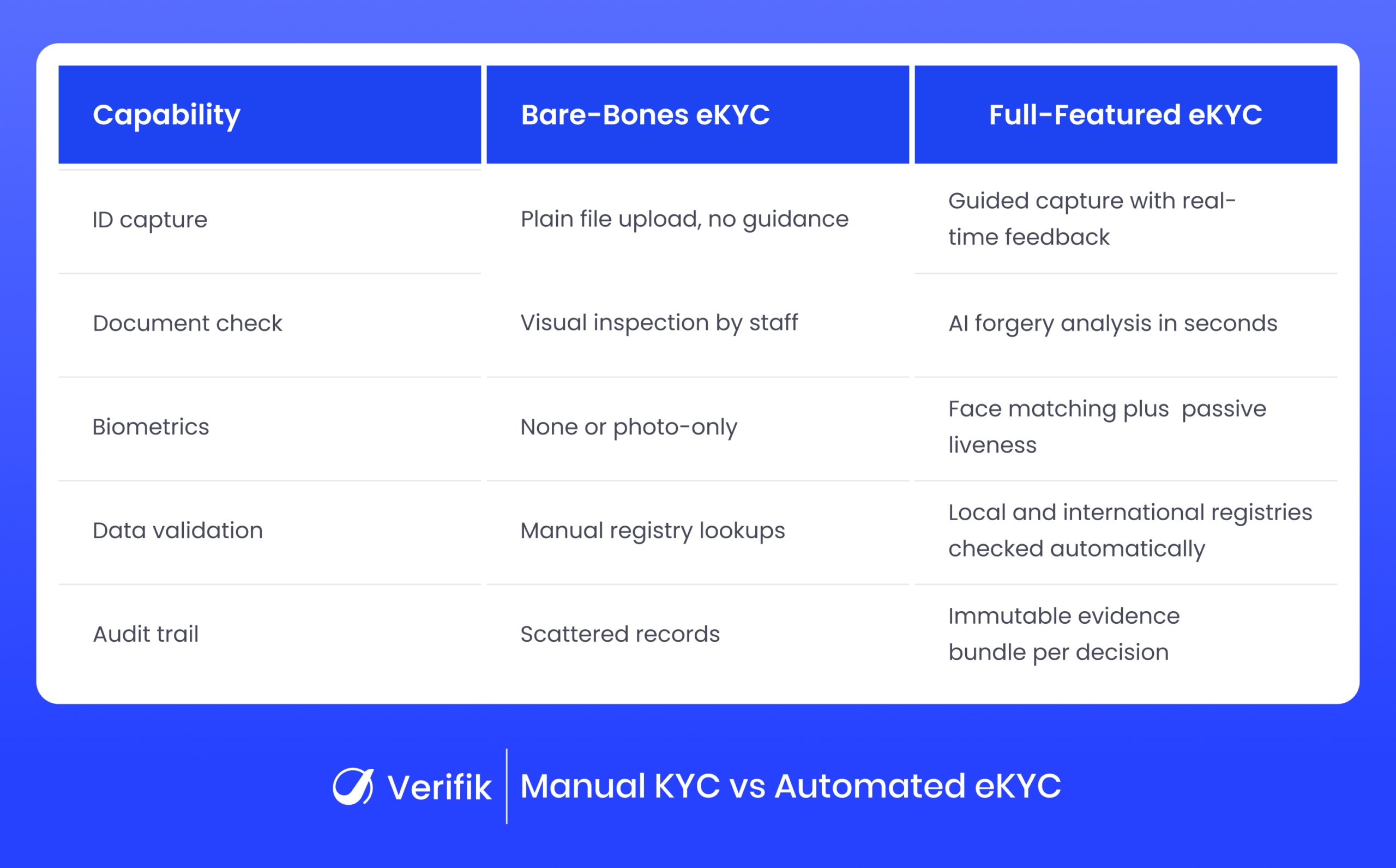
How bare-bones eKYC compares with a full-featured platform:
If you want to see how this works in your operation, take a look at smartENROLL.
The Trade-Off Every Bank Must Accept
The right banking eKYC platform balances both sides: enough checks to stop fraud, but a fast enough flow that good applicants finish.
Every extra check improves security and loses more applicants. That is the central trade-off of eKYC design.
Ask for too much and applicants leave for a competitor. Ask for too little and fraud gets through.
Each feature must earn its place. The best flows order checks by risk, run cheap checks first, and reserve the heavy checks for the cases that need them.
Why Banks Choose smartENROLL for eKYC
smartENROLL is Verifik’s eKYC solution for banking in Latin America, where varied ID formats and uneven registry access make generic tools struggle.
Regional Document Coverage
Reads and checks Latin American national IDs, passports, and driver’s licenses with high accuracy, including Colombia’s cédula and formats global vendors often misread.
Passive Liveness and Face Matching
Matches the applicant’s face to the ID photo and confirms a live person is present, blocking photo, video, and mask attacks without awkward head-movement exercises.
Local Registry Depth
Validates applicants against local sources such as RUES and SIMIT plus international databases. Local coverage is what separates a real check from a checkbox exercise.
Risk-Tiered Workflows
Compliance teams adjust risk tiers, thresholds, and escalation paths without waiting on engineers, so standard and high-risk cases get the right depth of review.
Reviewer-Ready Evidence Bundles
Unclear cases reach reviewers with images, pass and fail results, and risk signals on one screen.
Continuous Screening
Watchlist and PEP screening runs at onboarding and keeps running over time, so customer risk stays current between periodic reviews. Our guide to periodic KYC review explains how those reviews work.
Ready to see all ten features in action? Book a free demo and watch a live verification run from ID capture to decision.

Conclusion
Ten features, one goal: verify the right people fast and stop the wrong ones early. Together they form the eKYC stack digital banks need.
The fastest way to judge any platform is to run your own applicants through it and watch where they stumble. smartENROLL is built for exactly that test, with Latin American document and registry coverage that global tools cannot match.
Frequently Asked Questions (FAQs)
How many eKYC features does a digital bank really need?
The ten in this guide form the minimum viable stack: capture, document checks, biometrics, liveness, device signals, registry validation, watchlist screening, a decision engine, and audit storage. Dropping any one of them leaves a gap that either fraudsters or examiners will find.
What is the biggest reason eKYC implementations fail?
Friction that kills completion. Most applicants who quit do so at the ID upload step, so banks should measure completion per step and fix the worst step first.
Can eKYC work on low-end phones?
Yes, with the right design. Guided capture with real-time feedback matters most on older cameras and cracked screens. Heavy processing should run server-side so the phone only needs a decent camera and a browser or lightweight app.
Do all ten features run on every applicant?
No. Risk-based flows run cheap checks on everyone and reserve expensive checks, like deep document forensics and manual review, for cases that trigger risk signals. This is how banks keep both security and completion high.
Why should digital banks consider smartENROLL for eKYC?
smartENROLL covers all ten features in one workflow, with Latin American document and registry coverage that global tools often miss. Banks get guided capture, passive liveness, local database validation, and audit-ready evidence without stitching separate products together.