 Identity Card
 National Identity Document
 Citizenship ID
 Unique Identity Document
 Personal Identification Document
 Unique Population Registry Code
 Personal Identity Card
 Civil Identity Card
 Identity and Electoral Card
 Check Plate Colombia
 Check Plate Peru
 Check Plate Mexico
 Check Plate Argentina
 Check Plate Chile
 Check Plate USA
 Check Plate Brazil


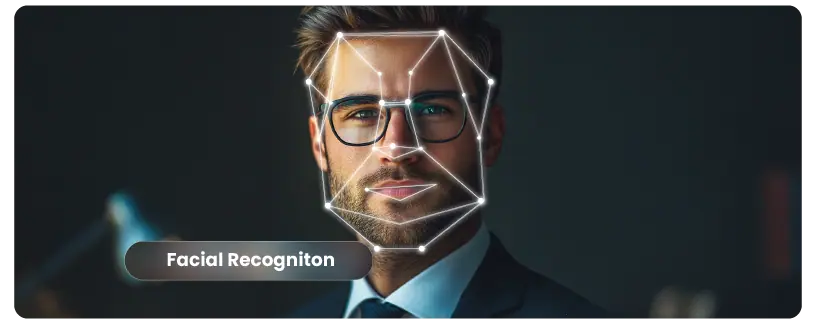
Facial recognition reduces online banking fraud by tying every account and every high-risk action to a live human face instead of a password or a code that can be stolen. This article explains where banks use it, which frauds it stops, how attackers try to beat it in 2026, the standards that matter and how to implement it with an API. Updated November 2026.
Why passwords and SMS codes no longer stop banking fraud
Passwords leak in data breaches and are reused across sites. SMS one-time codes can be intercepted through SIM swaps or handed over by a victim in a social-engineering call. Both prove that someone knows a secret, not who that someone is. Fraudsters exploit the gap at three moments: opening an account with a stolen or synthetic identity, taking over an existing account, and authorising a payment the real customer did not intend.
The fraud itself has also become synthetic. Entrust’s 2026 Identity Fraud Report links deepfakes to about one in five biometric fraud attempts and reports a 58% rise in deepfaked selfies in 2025 (Entrust). In Latin America, Unico and Liminal found that sophisticated attacks combining deepfakes, injection and physical artefacts approach half of attempts (Unico).
Want to try it? Create your Verifik account and make your first call today.
Where facial recognition in banking stops fraud
| Moment | What facial recognition does | Fraud it stops |
|---|---|---|
| Account opening | 1:1 match between selfie and ID portrait, plus liveness | Stolen identities, forged documents |
| Duplicate check at onboarding | 1:N search of the new face across existing customers | Multi-accounting, mule networks, repeat fraudsters |
| Login on a new device | Selfie matched to the enrolled face | Account takeover with stolen credentials |
| High-risk transactions | Re-authentication before new payees, large transfers or limit changes | Authorised push payment and takeover fraud |
| Contact detail changes | Face check before changing phone or email | SIM-swap-driven takeover |
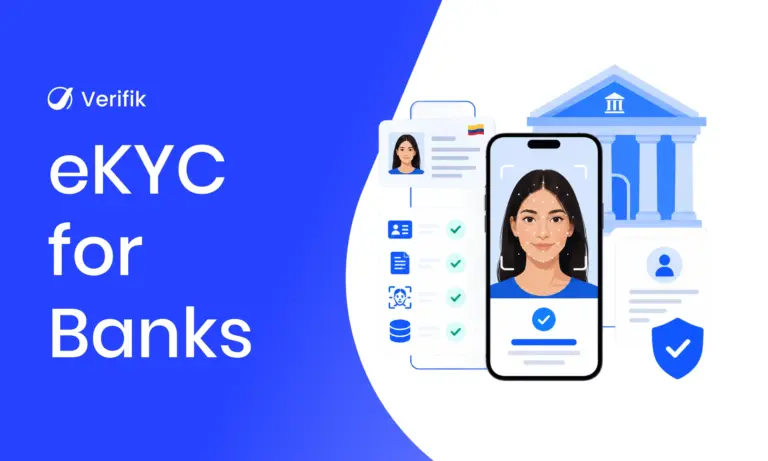
The first two belong to eKYC; the last three reuse the face enrolled at onboarding, so the customer never needs to show a document again.
How facial recognition works in a bank’s fraud controls
- Capture: the app takes a selfie with guidance on light and framing.
- Liveness (presentation attack detection): software checks that a live person is in front of the camera, not a printed photo, a screen or a mask. Verifik’s liveness is iBeta Level 2 certified and aligned with ISO 30107 (docs).
- Template and comparison: the face is turned into a numeric template and compared with the ID portrait (1:1) or with enrolled customers (1:N). Verifik’s
comparelets you set the match threshold between 0.67 and 0.95 (docs). - Decision and evidence: the bank approves, steps up or blocks, and stores a signed record of the check.
Device face unlock is not bank-grade face verification
Many customers assume their phone’s face unlock already protects their banking app. It often does not. In April 2026, Which? tested 208 phones and was able to unlock 133 of them (64%) with a printed 2D photo of the owner (Which?). Bank-grade verification needs certified liveness on the server side and a match against an identity the bank verified itself, not only the device’s own check.
Deepfakes, injection attacks and the standards that matter
- Presentation attacks (photos, screens, masks in front of the camera) are covered by ISO/IEC 30107-3, the standard used in iBeta PAD testing (ISO).
- Injection attacks skip the camera and feed synthetic video straight into the app or API. ISO 30107-3 does not cover them; the European technical specification CEN/TS 18099 does, and iBeta started injection-attack detection testing against it in 2026 (Biometric Update). An ISO version (ISO/IEC 25456) is still in draft.
- What to ask a provider: the PAD certificate and level, how the capture is protected against injection (device integrity, virtual-camera detection) and how often models are retrained on new deepfake types.
Regulation pushing banks toward biometric verification
- Colombia: the SFC’s Circular Externa 006 de 2025 requires, for non-face-to-face onboarding, biometric verification with liveness, a second authentication factor, checks against Registraduría sources and an alternative for people who cannot use biometrics (SFC Boletín Jurídico 119).
- Mexico: the CNBV resolution in the DOF of 1 July 2026 requires banks to verify customers biometrically against INE or SRE records, with 90 business days to comply (DOF).
- Telecom link: Colombia’s Ley 2573 de 2026, in force from 19 November 2026, adds identity-verification and anti-impersonation duties that affect SIM swaps, a common route into bank accounts (Law 2573 overview).
Advantages of facial recognition over other biometric methods
| Method | Extra hardware | Works remotely | Matches the ID document |
|---|---|---|---|
| Face | No, any phone camera | Yes | Yes, against the ID portrait |
| Fingerprint | Sensor; templates stay on the device | Only for device unlock | Only where a registry holds fingerprints |
| Voice | No | Yes | No |
| Iris | Special camera | Rarely | No |
Face is the only biometric most customers can present remotely that can also be checked against the photo on their ID, which is why it dominates remote banking.
Implement facial recognition with Verifik’s API
At onboarding, a single call compares the selfie with the ID portrait and then checks liveness only if the faces match (docs):
curl -X POST "https://api.verifik.co/v2/face-recognition/compare-with-liveness" \
  -H "Content-Type: application/json" \
  -H "Authorization: Bearer $VERIFIK_TOKEN" \
  -d '{
    "probe": "<base64 live selfie>",
    "gallery": ["<base64 portrait cropped from the ID>"],
    "search_mode": "ACCURATE",
    "compare_min_score": 0.85,
    "liveness_min_score": 0.6
  }'
The response carries the comparison score and, when the faces matched, the liveness result. Comparison runs first; liveness is skipped if the match fails:
{
  "id": "CWL01",
  "data": {
    "comparison": { "score": 0.88 },
    "liveness": { "liveness_score": 0.91, "min_score": 0.6, "passed": true }
  },
  "signature": { "message": "Certified by Verifik.co", "dateTime": "January 16, 2024 3:44 PM" }
}
Later, before a high-risk action, re-authenticate against the face enrolled at onboarding with a stricter threshold:
# post(path, body) = requests.post("https://api.verifik.co" + path, json=body, Bearer token) -> (status, json)
# Step-up before a high-risk action (new payee, large transfer, phone change)
def reauthenticate(customer, selfie_b64):
    code, res = post("/v2/face-recognition/compare-with-liveness", {
        "probe": selfie_b64,                         # live selfie taken now
        "gallery": [customer["enrolled_face_b64"]],  # face enrolled at onboarding
        "search_mode": "ACCURATE",
        "compare_min_score": 0.90,                   # stricter than onboarding
        "liveness_min_score": 0.6,
    })
    d = res.get("data", {}) if code == 200 else {}
    live = d.get("liveness") or {}                   # absent if the comparison failed
    if d.get("comparison", {}).get("score", 0) >= 0.90 and live.get("passed"):
        return "allow", res.get("id")                # keep the evidence ID with the transaction
    return "block_and_review", res.get("id")
To stop the same face opening accounts under different names, search new selfies against your collection with POST /v2/face-recognition/persons/search-live-face (docs).
Best practices for banks deploying facial recognition
- Use passive liveness by default; add active challenges only on step-up.
- Set thresholds per action: lower for login, higher for transfers and contact changes.
- Show capture guidance (light, distance, no glasses glare) to cut false rejects.
- Obtain explicit consent for biometric processing and define retention and deletion.
- Offer an alternative for customers who cannot use facial biometrics.
- Monitor false rejects by device and demographic group, and retest after model updates.
Protect your bank with Verifik facial recognition
Verifik’s facial recognition and liveness detection covers onboarding, 1:N duplicate search and re-authentication with one enrolled face, and smartENROLL packages it with OCR and registry checks for account opening. See also eKYC for banks. Book a demo to test it with your customers’ devices.