 Identity Card
 National Identity Document
 Citizenship ID
 Unique Identity Document
 Personal Identification Document
 Unique Population Registry Code
 Personal Identity Card
 Civil Identity Card
 Identity and Electoral Card
 Check Plate Colombia
 Check Plate Peru
 Check Plate Mexico
 Check Plate Argentina
 Check Plate Chile
 Check Plate USA
 Check Plate Brazil


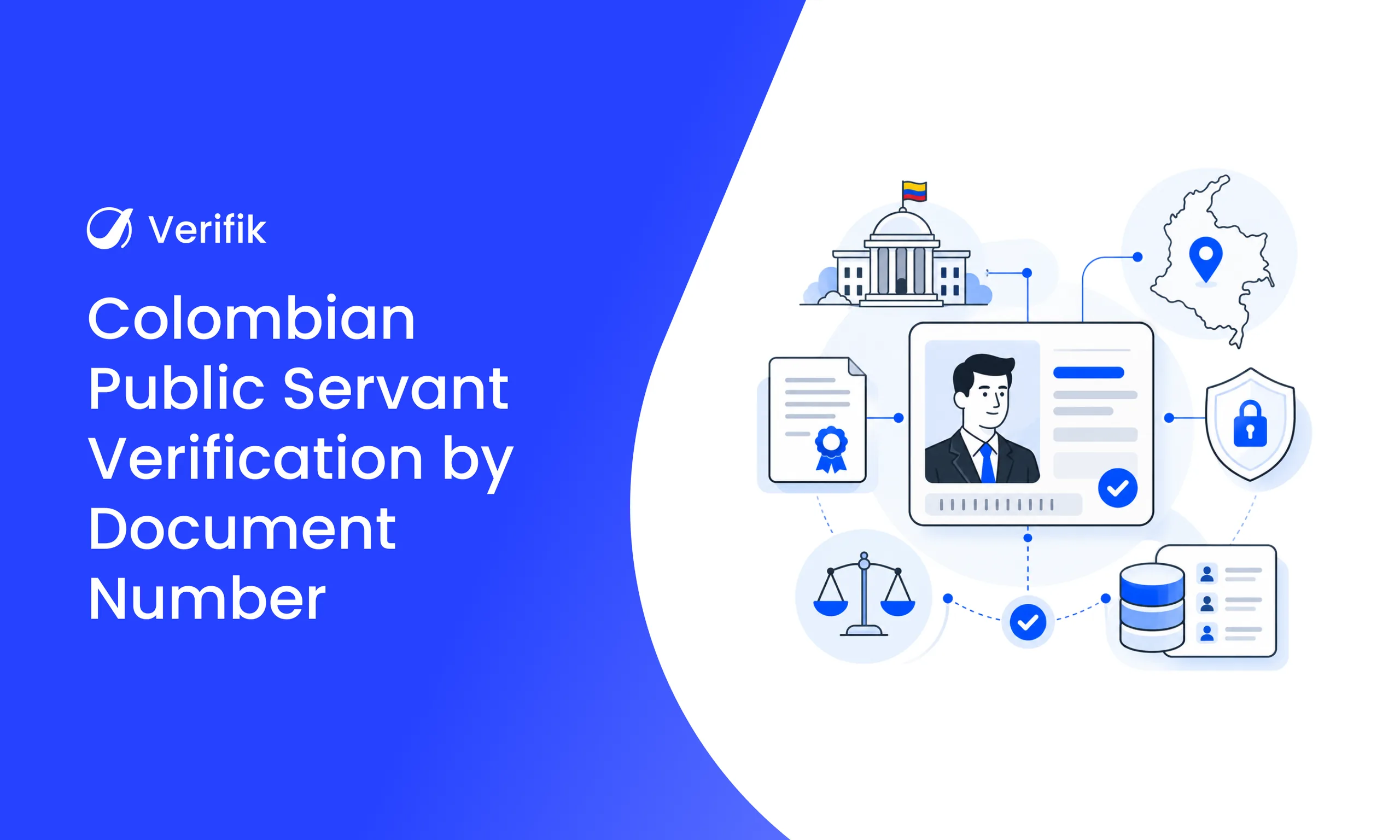
Short answer: To look up a Colombian public servant in SIGEP with Verifik, send a GET request to /v2/co/sigep/number with documentType (CC or NIT) and documentNumber. The API returns the name and, when published, the position, entity, email, phone, location and official profile link. If you only have the name, use /v2/co/sigep/name.
Government ties can play an important role in due diligence, regulatory compliance and risk assessment. Whether you are onboarding a customer, assessing a supplier or running background checks, confirming whether a person appears in Colombia’s official public employment directory helps you make better-informed decisions.
In Colombia, public servant information is available through SIGEP (Sistema de Información y Gestión del Empleo Público), the country’s official public employment and contracting information system, which Función Pública publishes in its public servant directory. Searching every record by hand, however, is slow and impractical, especially for organisations that process high verification volumes.
This guide shows how Verifik’s SIGEP API automates public servant verification by document number or by name, with real code examples, the response fields and the errors you need to handle. For the full set of checks behind a Colombian onboarding flow, start with the Colombia KYC API guide.
Why public servant verification matters in Colombia
Organisations often need to know whether a person has a tie to Colombia’s public sector. This information supports due diligence, regulatory compliance, supplier assessment and conflict-of-interest reviews before a business relationship begins.
Public servant verification helps you:
- Check whether a person appears in the SIGEP directory.
- Support compliance and due diligence processes.
- Strengthen supplier and third-party risk assessments.
- Improve transparency when onboarding customers or partners.
- Make better-informed business and compliance decisions.
Reliable public employment data makes background checks stronger and reduces reliance on manual review. Directory data is public, but use it only for a defined due-diligence purpose and in line with Colombia’s personal data protection law (Ley 1581 of 2012).
Want to try it? Create your Verifik account and make your first call today.
What SIGEP is and what the directory shows
SIGEP holds published information about people who work for government entities or hold public-sector positions. When you look a person up by document number, you can see whether directory records exist and get the information the official source returns.
Depending on the available records, you can get:
- Position as a public servant or contractor.
- Government entity.
- Official contact email and phone number.
- Office location.
- Link to the official SIGEP profile.
The public employment directory is separate from the asset and income declarations required by Ley 2013 of 2019, which Función Pública publishes in its citizen declarations search. Verifik’s SIGEP endpoints query the directory, not those declarations.
Why manual SIGEP searches slow down due diligence
Many organisations still search the SIGEP directory by hand. That works for the odd check, but it becomes inefficient when you have many requests to process every day.
- Longer verification times.
- Heavier administrative workload.
- Repetitive searches across public records.
- Higher risk of inconsistent checks.
- Slower onboarding and compliance processes.
Automating the lookup gets you the official information faster and applies the same criteria to every case.
How Verifik’s SIGEP API works
With a person’s document type and number, the API queries the official SIGEP directory and returns the available records in a structured response: name, position, entity, contact details, office location and official profile link, depending on what the source publishes.
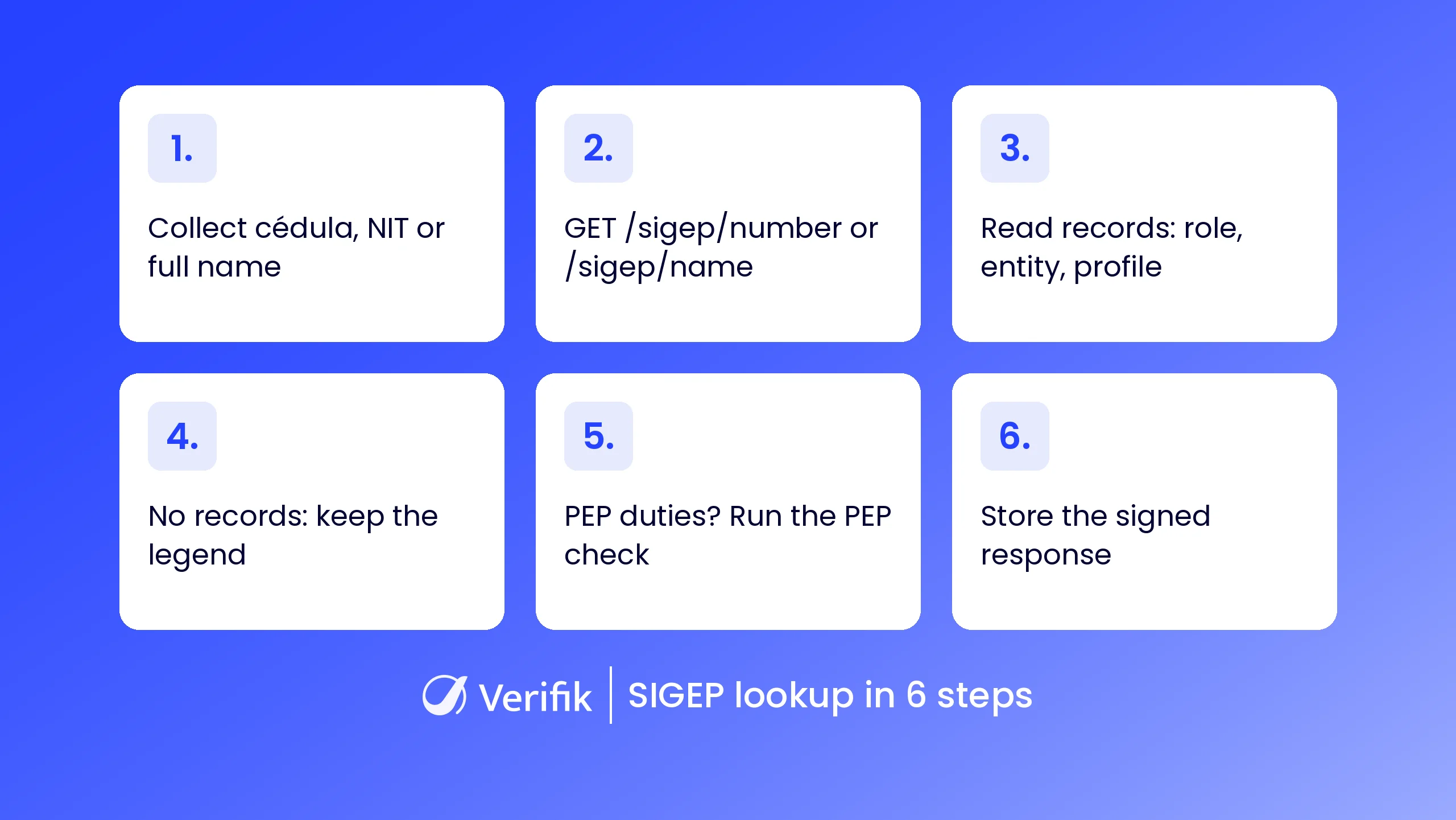
Because the response is structured JSON, you can plug the check straight into compliance platforms, onboarding systems, supplier assessment tools or your own applications. Verifik offers two endpoints: one by document (cédula or NIT) and one by full name.
SIGEP lookup by cédula or NIT (GET /v2/co/sigep/number)
This is the most precise flow: the API first resolves the person’s identity and then returns the matching directory rows. These are the parameters, per the lookup-by-document documentation:
| Parameter | Type | Required | Description |
|---|---|---|---|
documentType | string | Yes | CC or NIT (the API only accepts these two values). |
documentNumber | string | Yes | Number without spaces or punctuation. |
cURL request (fictitious example data):
curl -G "https://api.verifik.co/v2/co/sigep/number" \
  -H "Accept: application/json" \
  -H "Authorization: Bearer $VERIFIK_TOKEN" \
  --data-urlencode "documentType=CC" \
  --data-urlencode "documentNumber=1020304050"
The same request in JavaScript with axios:
import axios from "axios";

const { data } = await axios.get("https://api.verifik.co/v2/co/sigep/number", {
  params: { documentType: "CC", documentNumber: "1020304050" },
  headers: {
    Accept: "application/json",
    Authorization: `Bearer ${process.env.VERIFIK_TOKEN}`,
  },
});
console.log(data);
And in Python with requests:
import os
import requests

r = requests.get(
    "https://api.verifik.co/v2/co/sigep/number",
    params={"documentType": "CC", "documentNumber": "1020304050"},
    headers={
        "Accept": "application/json",
        "Authorization": f"Bearer {os.getenv('VERIFIK_TOKEN')}",
    },
    timeout=30,
)
print(r.json())
Example 200 response (fictitious values, real field names):
{
  "data": {
    "arrayName": [
      "MARIA",
      "FERNANDA",
      "GOMEZ",
      "RUIZ"
    ],
    "documentNumber": "1020304050",
    "documentType": "CC",
    "firstName": "MARIA FERNANDA",
    "fullName": "MARIA FERNANDA GOMEZ RUIZ",
    "lastName": "GOMEZ RUIZ",
    "legend": "",
    "records": [
      {
        "name": "MARIA FERNANDA GOMEZ RUIZ",
        "linkProfile": "https://www.funcionpublica.gov.co/dafpIndexerBHV/hvSigep/detallarHV/EJEMPLO-0000-0",
        "position": "Servidor Público",
        "entity": "ALCALDÍA DE MUNICIPIO EJEMPLO",
        "email": "[email protected]",
        "phone": "6010000000",
        "location": "MUNICIPIO EJEMPLO - DEPARTAMENTO EJEMPLO"
      }
    ]
  },
  "signature": {
    "dateTime": "November 11, 2026 8:15 AM",
    "message": "Certified by Verifik.co"
  },
  "id": "EJ149"
}
SIGEP lookup by name (GET /v2/co/sigep/name)
Sometimes all you have is a person’s full name: a supplier contact, a representative named in a bid or a name on a contract. For those cases, the by-name endpoint searches the directory with the fullName parameter, as it appears in official records. If you have the document type and number, prefer the by-document lookup, which is more precise.
cURL request (encode the spaces in the name; --data-urlencode does it for you):
curl -G "https://api.verifik.co/v2/co/sigep/name" \
  -H "Accept: application/json" \
  -H "Authorization: Bearer $VERIFIK_TOKEN" \
  --data-urlencode "fullName=MARIA FERNANDA GOMEZ RUIZ"
Example 200 response:
{
  "data": {
    "fullName": "MARIA FERNANDA GOMEZ RUIZ",
    "legend": "",
    "records": [
      {
        "name": "MARIA FERNANDA GOMEZ RUIZ",
        "linkProfile": "https://www.funcionpublica.gov.co/dafpIndexerBHV/hvSigep/detallarHV/EJEMPLO-0000-0",
        "position": "Servidor Público",
        "entity": "ALCALDÍA DE MUNICIPIO EJEMPLO",
        "email": "[email protected]",
        "phone": "6010000000",
        "location": "MUNICIPIO EJEMPLO - DEPARTAMENTO EJEMPLO"
      }
    ]
  },
  "signature": {
    "dateTime": "November 11, 2026 8:16 AM",
    "message": "Certified by Verifik.co"
  },
  "id": "EJ150"
}
A name search can return several rows when people share a name. Before you act on a result, confirm the match against the entity, position or document. Details are in the lookup-by-name documentation.
Response fields and errors
Each row in records has the same fields in both endpoints. Some may be empty when the source does not publish them.
| Field | What it holds |
|---|---|
fullName, firstName, lastName, arrayName | The person’s name (the split name fields come only with the by-document lookup). |
records[].position | Position, for example public servant or contractor. |
records[].entity | Government entity. |
records[].email, records[].phone | Published official contact details. |
records[].location | Office city and department. |
records[].linkProfile | Link to the official Función Pública profile. |
legend | Message that may explain why there are no directory rows. |
signature, id | “Certified by Verifik.co” signature with date and time, plus a lookup ID for your audit trail. |
These are the documented outcomes and errors your integration should cover:
| Response | Meaning | What to do |
|---|---|---|
200 with empty records | The person exists but has no directory rows; the legend may explain why. | Log the result and the legend; do not treat it as a negative finding. |
404 NotFound | “Record not found.” | Mark “no record” and carry on with your other checks. |
409 MissingParameter | A parameter is missing or documentType is not CC or NIT. | Fix the request; do not retry it unchanged. |
409 Endpoint_out_of_service | The SIGEP service is unavailable at that moment. | Retry with growing backoff or queue the case. |
A JavaScript handler that applies that table:
import axios from "axios";

async function lookupSigep(documentNumber, documentType = "CC", tries = 3) {
  for (let i = 1; i <= tries; i++) {
    try {
      const { data } = await axios.get("https://api.verifik.co/v2/co/sigep/number", {
        params: { documentType, documentNumber },
        headers: { Accept: "application/json", Authorization: `Bearer ${process.env.VERIFIK_TOKEN}` },
        timeout: 30000,
      });
      const { records, legend } = data.data;
      // No directory rows: not a negative result; keep the legend
      if (records.length === 0) return { inDirectory: false, note: legend, id: data.id };
      return { inDirectory: true, records: records, id: data.id };
    } catch (err) {
      const status = err.response?.status;
      const body = JSON.stringify(err.response?.data ?? {});
      // 404 NotFound: no record for that document
      if (status === 404) return { inDirectory: false, note: "Record not found." };
      // SIGEP unavailable: retry with growing backoff
      if (status === 409 && body.includes("Endpoint_out_of_service") && i < tries) {
        await new Promise((r) => setTimeout(r, 2000 * i));
        continue;
      }
      throw err;
    }
  }
}
Being in SIGEP is not the same as being a PEP
A common mistake is treating every directory row as a politically exposed person. Colombia’s Decree 830 of 2021 treats public servants as PEPs when they hold assigned or delegated duties to issue rules or regulations, provide general direction, set institutional policy, directly manage state assets, money or securities, administer justice or exercise administrative sanctioning powers. PEP status lasts while they hold office and for two years after they leave.
So SIGEP tells you whether someone has a public-sector tie and in which position; the PEP assessment is a separate step. The directory response has no PEP field, so when the position suggests those duties, run Verifik’s PEP endpoint with the same document:
curl -G "https://api.verifik.co/v2/co/politically-exposed-persons" \
  -H "Accept: application/json" \
  -H "Authorization: Bearer $VERIFIK_TOKEN" \
  --data-urlencode "documentType=CC" \
  --data-urlencode "documentNumber=1020304050"
That endpoint returns, when the source publishes them, details such as entity, position, publication type and declaration status. A 404 often means there is no PEP record for that document. The fields are listed in the Colombia PEP documentation.
Who benefits from Verifik’s SIGEP API
SIGEP lookups strengthen due diligence, compliance and third-party risk management across several teams:
- Financial institutions and fintechs: check whether customers or related parties appear in the directory as part of enhanced due diligence. If you are building your programme, see the KYC requirements checklist for fintech startups and the eKYC for banks guide.
- Compliance teams: review public servant records before onboarding customers, suppliers or business partners.
- Procurement and supplier risk: spot public-sector ties among suppliers, contractors or key stakeholders before signing, alongside the public contracts lookup.
- Background check providers: build the API into their services to offer public servant lookups to clients in Colombia.
Benefits of automating public servant verification
Searching the directory by hand slows compliance workflows, especially when you need to check many people. Automating the lookup with Verifik lets you:
- Verify faster: one API request per person instead of manual searches.
- Strengthen due diligence: spot relevant public-sector ties during onboarding, supplier assessment and compliance reviews.
- Integrate with your systems: structured data connects to compliance, onboarding, CRM and in-house applications.
- Scale with the same criteria: from a few lookups to high volumes, with signed responses you can keep as evidence.
Why choose Verifik’s API for SIGEP lookups
Verifik automates identity verification, legal checks and compliance with APIs connected to Latin American data sources. With the SIGEP API you can:
- Look up public servants by cédula, NIT or full name.
- Get the official directory information with a single API request.
- Cut manual verification and administrative workload.
- Complete the profile with other sources in the same account, such as the PEP list, OFAC sanctions lists and the Contraloría certificate.
- Work with structured, developer-friendly responses.
Want to see it with your own cases? Book a free demo and we will walk through your due diligence flow together.
Final thoughts
Checking public servant records is an important step in strengthening due diligence, compliance and third-party risk management in Colombia. With Verifik’s SIGEP lookup by cédula or name you get faster access to official public employment records, less manual effort and a check that fits your existing workflows.
Ready to automate public servant verification? Create your account and try the SIGEP endpoints with your own token.