 Identity Card
 National Identity Document
 Citizenship ID
 Unique Identity Document
 Personal Identification Document
 Unique Population Registry Code
 Personal Identity Card
 Civil Identity Card
 Identity and Electoral Card
 Check Plate Colombia
 Check Plate Peru
 Check Plate Mexico
 Check Plate Argentina
 Check Plate Chile
 Check Plate USA
 Check Plate Brazil


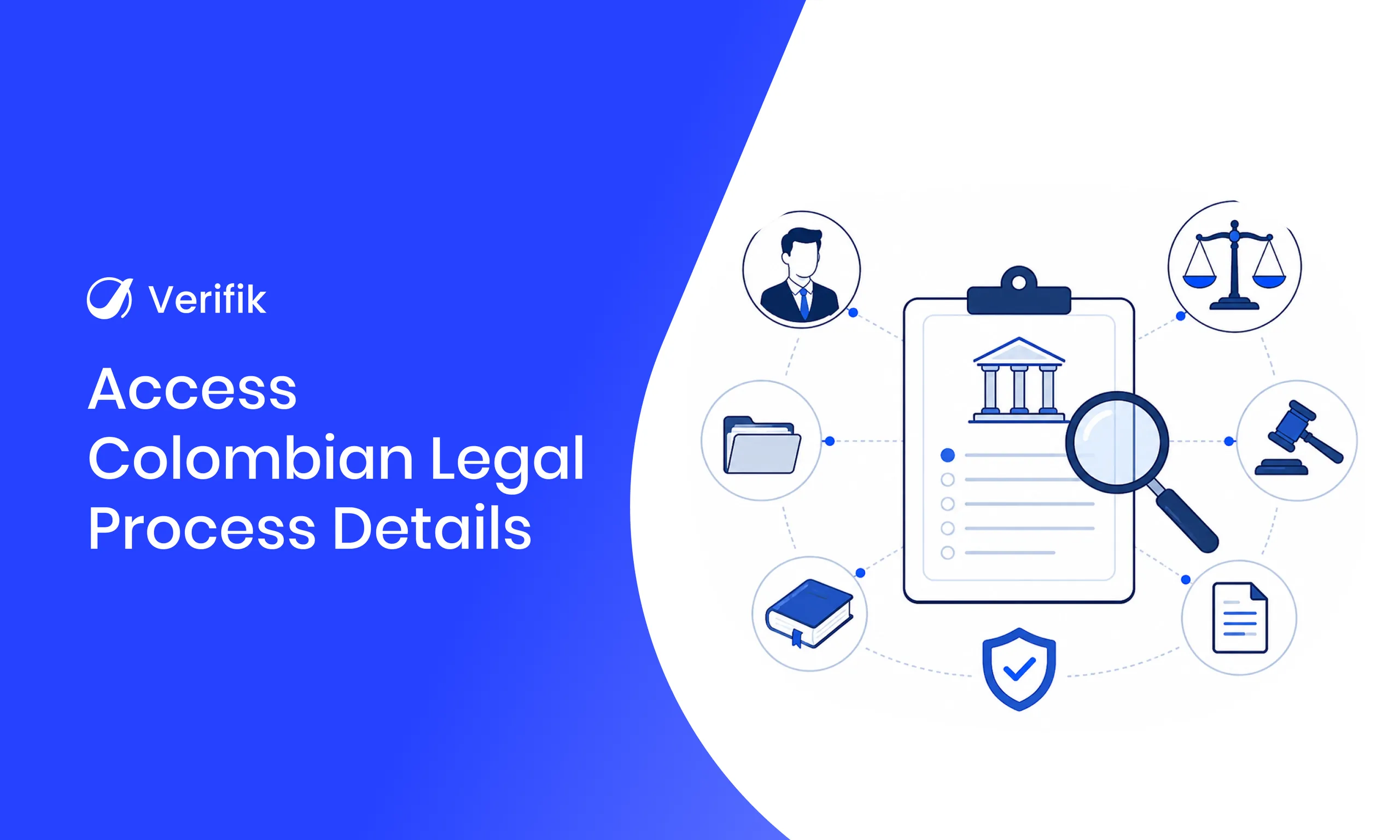
Short answer: To look up a Colombian court case by radicado with Verifik, send a GET request to /v2/co/rama/proceso/{processNumber} with the case number (llaveProceso, at least 7 characters) in the path. The API returns the court, case class and dates, the parties when the source exposes them, and the docket entries with their notes.
Organizations doing legal due diligence, compliance or risk management usually need more than a list of court cases. Once a case has been identified, they need its details to understand where it stands, who the parties are and which procedural steps have been recorded before making a decision.
In Colombia, that information comes from the Judicial Branch’s Consulta de Procesos Nacional Unificada (CPNU). Checking it by hand, case by case, is slow, especially for teams that review many cases every month.
In this guide you’ll see how the Verifik API retrieves the details of a Colombian court case from its radicado number, with real code samples, the response fields, the errors to handle and the full flow starting from a cédula or NIT search. If you’re building your whole onboarding, start with the Colombia KYC API.
Why case-level detail matters
A list of cases shows that a person or company has been involved in legal proceedings, but it isn’t enough to understand the case. The detail adds the context behind better-informed legal, compliance and business decisions.
Getting the details of a court case in Colombia helps you:
- Support legal due diligence before closing a business transaction.
- Review case information during compliance investigations.
- Better understand ongoing or past cases.
- Strengthen risk assessments with additional legal context.
- Follow known cases when an additional review is needed.
You can try what this Colombia court case lookup API guide covers in your own account: create a Verifik account.
How to read a radicado number (23 digits)
Every case has a unique filing code. According to the Superior Council of the Judiciary’s Circular PCSJC19-7 (2019), which restates Acuerdo 201 of 1997, the code has 23 digits: the first 12 identify where the court sits and the remaining 11 identify the case.
| Block | Digits | In the example 11001400302020230012300 |
|---|---|---|
| DANE municipality code | 5 | 11001 |
| Court body or court type | 2 | 40 |
| Chamber or specialty | 2 | 03 |
| Court sequence number | 3 | 020 |
| Year the case was filed | 4 | 2023 |
| Filing sequence (restarts every year) | 5 | 00123 |
| Appeals sequence | 2 | 00 |
The “Código Único del Proceso Judicial” guide explains that the number never changes during the life of a case: only the last two digits change when appeals are filed (Acuerdo 1463 of 2002). In the API, that number travels as llaveProceso; send it exactly as the source returns it.
Why manual lookups slow down due diligence
After identifying a case, many organizations still look up the detail by hand on the court portal: they type the number, click through several tabs and copy the docket entries. That works for the occasional review, but not for teams reviewing cases every day.
- Longer research times.
- More administrative work.
- Repetitive searches on court portals.
- Higher risk of collecting incomplete information.
- Delays in legal and compliance reviews.
Automating the lookup gets you structured information faster and with the same criteria for every case.
How Verifik’s court case details API works
With the case number, the API queries the Judicial Branch source and returns three blocks in a single JSON response: the case data (details), the parties (subjects) and the docket entries (actions), based on what the source publishes.
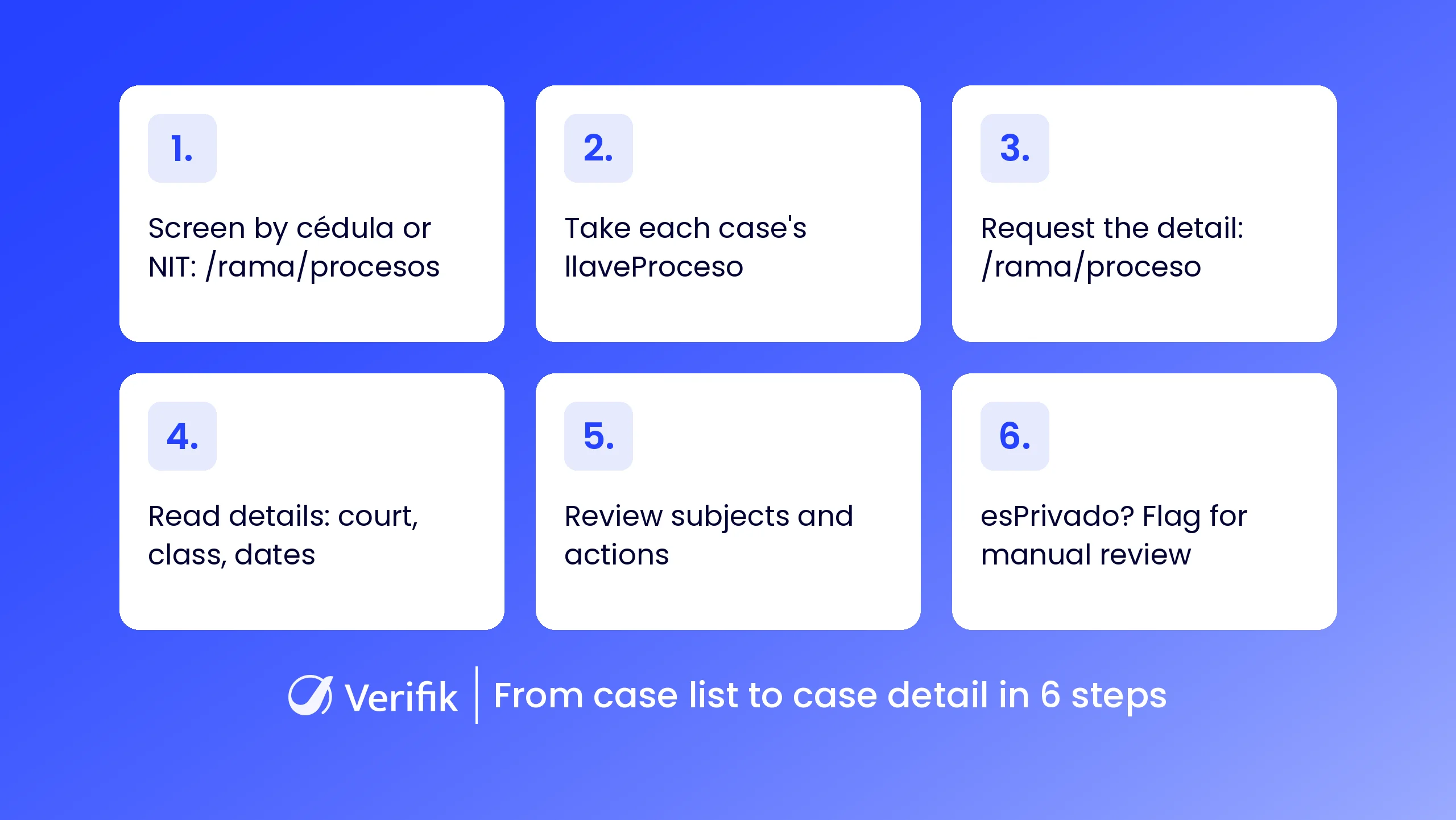
Recommended flow: from the cédula or NIT case list to the detail of each case by its radicado number.
Because the response is structured, you can plug the lookup into compliance platforms, legaltech products, risk management systems or your own applications without copying data by hand.
Lookup by radicado: GET /v2/co/rama/proceso/{processNumber}
The case number goes in as a path parameter, not in the query string. These are the request details, according to the case detail endpoint documentation:
| Parameter | Where | Required | Description |
|---|---|---|---|
processNumber | Path | Yes | Court case number, at least 7 characters, no spaces. Usually copied from llaveProceso in the list endpoint. |
Accept | Header | Yes | application/json |
Authorization | Header | Yes | Bearer <token> |
Request with cURL (fictitious radicado number):
curl "https://api.verifik.co/v2/co/rama/proceso/11001400302020230012300" \
  -H "Accept: application/json" \
  -H "Authorization: Bearer $VERIFIK_TOKEN"
The same lookup in JavaScript with axios:
import axios from "axios";

const processNumber = "11001400302020230012300";
const { data } = await axios.get(
  `https://api.verifik.co/v2/co/rama/proceso/${processNumber}`,
  {
    headers: {
      Accept: "application/json",
      Authorization: `Bearer ${process.env.VERIFIK_TOKEN}`,
    },
  },
);
console.log(data);
And in Python with requests:
import os
import requests

process_number = "11001400302020230012300"
url = f"https://api.verifik.co/v2/co/rama/proceso/{process_number}"
headers = {
    "Accept": "application/json",
    "Authorization": f"Bearer {os.getenv('VERIFIK_TOKEN')}",
}
r = requests.get(url, headers=headers, timeout=30)
print(r.json())
Sample 200 response (fictitious values, real field names):
{
  "data": {
    "actions": [
      {
        "actuacion": "Auto admite demanda",
        "anotacion": "SE ADMITE LA DEMANDA Y SE ORDENA NOTIFICAR (DATO DE EJEMPLO)",
        "cant": "2",
        "codRegla": "00 ",
        "consActuacion": "2",
        "conDocumentos": false,
        "fechaActuacion": "2023-03-14T00:00:00",
        "fechaRegistro": "2023-03-14T00:00:00",
        "idRegActuacion": "90000002",
        "llaveProceso": "11001400302020230012300"
      },
      {
        "actuacion": "Radicación de proceso",
        "anotacion": "ACTUACIÓN DE RADICACIÓN (DATO DE EJEMPLO)",
        "cant": "2",
        "codRegla": "00 ",
        "consActuacion": "1",
        "conDocumentos": false,
        "fechaActuacion": "2023-02-20T00:00:00",
        "fechaRegistro": "2023-02-20T00:00:00",
        "idRegActuacion": "90000001",
        "llaveProceso": "11001400302020230012300"
      }
    ],
    "details": {
      "claseProceso": "Ejecutivo Singular",
      "contenidoRadicacion": "PAGARÉ",
      "despacho": "JUZGADO 020 CIVIL MUNICIPAL DE BOGOTÁ",
      "esPrivado": false,
      "fechaConsulta": "2026-11-16T09:10:00.00",
      "fechaProceso": "2023-02-20T00:00:00",
      "idConexion": "100",
      "idRegProceso": "9000001",
      "llaveProceso": "11001400302020230012300",
      "ponente": "JUEZ DE EJEMPLO",
      "recurso": "Sin Tipo de Recurso",
      "subclaseProceso": "Sin Subclase de Proceso",
      "tipoProceso": "Ejecutivo",
      "ubicacion": "Despacho",
      "ultimaActualizacion": "2023-03-14T10:05:00.00"
    },
    "processNumber": "11001400302020230012300",
    "subjects": [
      {
        "cant": "2",
        "esEmplazado": false,
        "idRegSujeto": "80000001",
        "identificacion": "900000001",
        "nombreRazonSocial": "EMPRESA DEMO S.A.S.",
        "tipoSujeto": "Demandante"
      },
      {
        "cant": "2",
        "esEmplazado": false,
        "idRegSujeto": "80000002",
        "identificacion": "1020304050",
        "nombreRazonSocial": "PERSONA DE EJEMPLO",
        "tipoSujeto": "Demandado"
      }
    ]
  },
  "signature": {
    "dateTime": "November 16, 2026 9:10 AM",
    "message": "Certified by Verifik.co"
  },
  "id": "EJ147"
}
Response, fields and errors
These are the main fields in each block. Some can be empty when the source doesn’t publish them.
| Field | What it contains |
|---|---|
details.despacho, details.ponente | Court and the judge or reporting magistrate on the case. |
details.tipoProceso, details.claseProceso, details.subclaseProceso | Case type, class and subclass. |
details.contenidoRadicacion, details.recurso | What was filed and the type of appeal, if any. |
details.fechaProceso, details.ultimaActualizacion, details.fechaConsulta | Case date, last update and time of the lookup. |
details.ubicacion | Where the case file is (for example, at the court or in the archive). |
details.esPrivado | Whether the case is private. |
subjects[] | Parties: tipoSujeto (plaintiff “Demandante”, defendant “Demandado”…), nombreRazonSocial, identificacion, esEmplazado. |
actions[] | Docket entries: actuacion, anotacion, fechaActuacion, fechaRegistro, consActuacion, conDocumentos. |
signature, id | “Certified by Verifik.co” signature with date and time, plus a lookup ID for your audit trail. |
These are the documented error responses:
| Response | Meaning | What to do |
|---|---|---|
404 NotFound | “Record not found.” | Mark it “no record” and check that the number is correct. |
409 MissingParameter | processNumber is missing or invalid, for example shorter than 7 characters. | Validate the number before calling; don’t retry the same request. |
From a cédula/NIT case list to case detail
Most of the time you don’t start with the radicado. In that case, you first list the cases of a person (CC) or company (NIT) with GET /v2/co/rama/procesos, which returns a list with llaveProceso, court, department, dates and parties, and then request the detail of each one. This is the first call:
curl -G "https://api.verifik.co/v2/co/rama/procesos" \
  -H "Accept: application/json" \
  -H "Authorization: Bearer $VERIFIK_TOKEN" \
  --data-urlencode "documentType=NIT" \
  --data-urlencode "documentNumber=900000001"
Keep two limits from the list endpoint documentation in mind: it only accepts CC and NIT, and the Judicial Branch search relies on a name match tied to the document, so the list can come back empty even when the data is valid. To go deeper on that step, see the guide to automating judicial record checks for individuals or companies.
This JavaScript example joins both steps and applies the error-handling rules:
import axios from "axios";

const api = axios.create({
  baseURL: "https://api.verifik.co/v2/co/rama",
  headers: { Accept: "application/json", Authorization: `Bearer ${process.env.VERIFIK_TOKEN}` },
  timeout: 30000,
});

async function detail(llave, tries = 3) {
  // Normalize: no spaces or hyphens; the API requires at least 7 characters
  const processNumber = String(llave).replace(/[\s-]/g, "");
  if (processNumber.length < 7) return { llave, status: "invalidNumber" };
  for (let i = 1; i <= tries; i++) {
    try {
      const { data } = await api.get(`/proceso/${processNumber}`);
      const { details, subjects, actions } = data.data;
      // Private case: don't treat it as a clean record
      if (details.esPrivado) return { llave, status: "manualReview", details };
      return { llave, details, subjects, actions, id: data.id };
    } catch (err) {
      const status = err.response?.status;
      // 404: no record for that number; 409: missing or invalid number
      if (status === 404) return { llave, status: "notFound" };
      if (status === 409) return { llave, status: "invalidNumber" };
      // Network error or 5xx: retry with growing backoff
      if ((!status || status >= 500) && i < tries) {
        await new Promise((r) => setTimeout(r, 2000 * i));
        continue;
      }
      throw err;
    }
  }
}

export async function caseDetailsByDocument(documentType, documentNumber) {
  // 1) List by CC or NIT (can be empty even when the data is valid)
  const { data } = await api.get("/procesos", { params: { documentType, documentNumber } });
  // 2) Detail of each case using its llaveProceso
  const out = [];
  for (const p of data.data.list) out.push(await detail(p.llaveProceso));
  return out;
}
Private cases and incomplete data
CPNU data reflects what the courts themselves enter: according to the Judicial Branch FAQ, each court is responsible for updating the case so it shows up in the lookup. So how current the data is depends on each court.
When details.esPrivado is true, treat the case as restricted: parties only come back when the source exposes them, so don’t read a thin response as a clean record. Flag it for manual review and keep the signed response as evidence. Court data includes personal data; use it only for a defined due diligence purpose and in line with Colombia’s Law 1581 of 2012.
Who can benefit from the court case details API
Organizations across Colombia use case-level detail to strengthen due diligence, legal research, compliance and risk management.
Financial institutions and fintech
Banks and fintech companies pull the detail of known cases to support enhanced due diligence and risk assessments of customers or companies. They can combine it with the SIGEP public servant lookup in the same compliance flow.
Compliance teams
They review case details during investigations, customer reviews or ongoing monitoring, with less manual research.
Legal and risk teams
Legal and risk departments assess legal exposure, understand the case history and support internal reviews before making business decisions. For the case-file view, also see how to automate court file verification in Colombia.
Legaltech and background check providers
Legaltech platforms and background check providers integrate the API to offer structured case details to their clients, alongside other checks such as the Colombian police record check.
Benefits of looking up court cases by API
- Faster details: a single request per case number instead of manual searches on the portal.
- Better due diligence: more visibility into a specific case for legal and compliance reviews.
- Simple integration: structured data connects to compliance, legaltech, onboarding or other applications.
- Scale: from a single case to thousands with the same criteria and signed responses as evidence.
Why choose Verifik for Colombian court case lookups
Verifik automates identity verification, legal verification and compliance with APIs connected to Latin American data sources. With the court case details API you can:
- Get the detail of a case from its radicado number.
- Receive case data, parties and docket entries in a single request.
- Go from a cédula or NIT case list to the detail of each case with the same token.
- Cut manual research and administrative work.
- Work with structured, developer-friendly responses.
Want to see it with your own cases? Book a meeting and we’ll walk through your due diligence flow together.
Final words
The detail of a court case gives you a deeper view during due diligence, compliance reviews and legal investigations in Colombia. With Verifik’s Colombia court case lookup API you cut manual research and bring court data into your existing workflows.
Ready to start? Create your account and try the endpoint with your own token.